Select Language
📲 App Installation Guide
Follow steps to install the app
ऐप इनस्टॉल करने के लिए नीचे दिए स्टेप्स देखें
એપ ઇન્સ્ટોલ કરવા માટે નીચેના સ્ટેપ્સ જુઓ
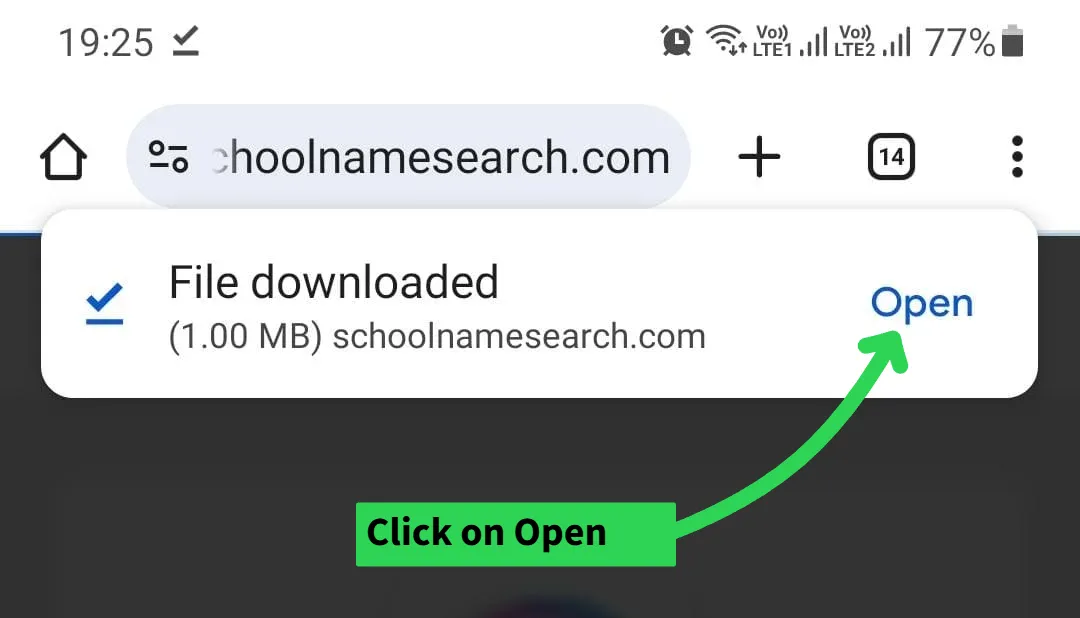
Step 1
Open the file after Download.
डाउनलोड होने के बाद Open करें।
ડાઉનલોડ થયા પછી ફાઇલ Open કરો.
Step 2
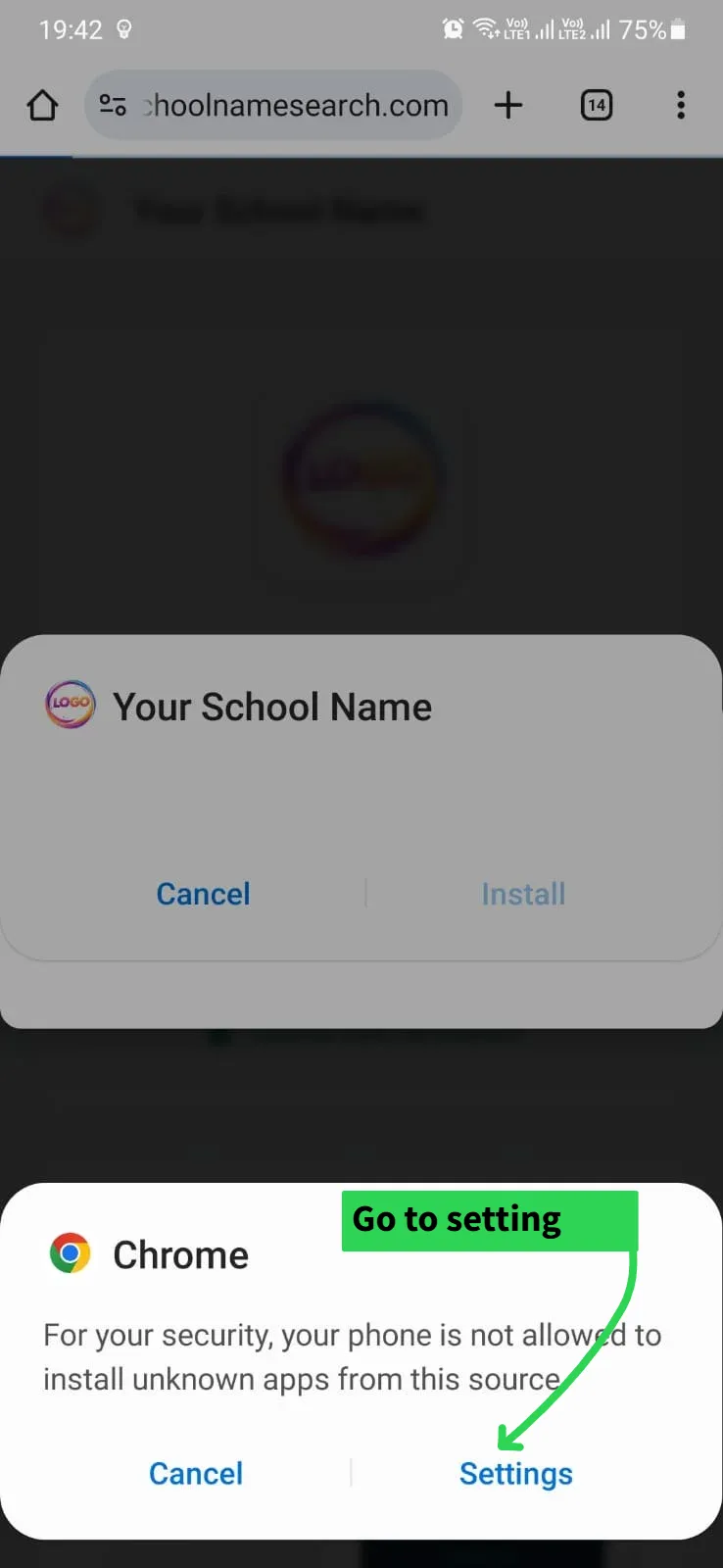
Click on Settings when prompted.
पॉपअप आने पर Settings पर क्लिक करें।
મેસેજ આવે એટલે Settings પર ક્લિક કરો.
Step 3
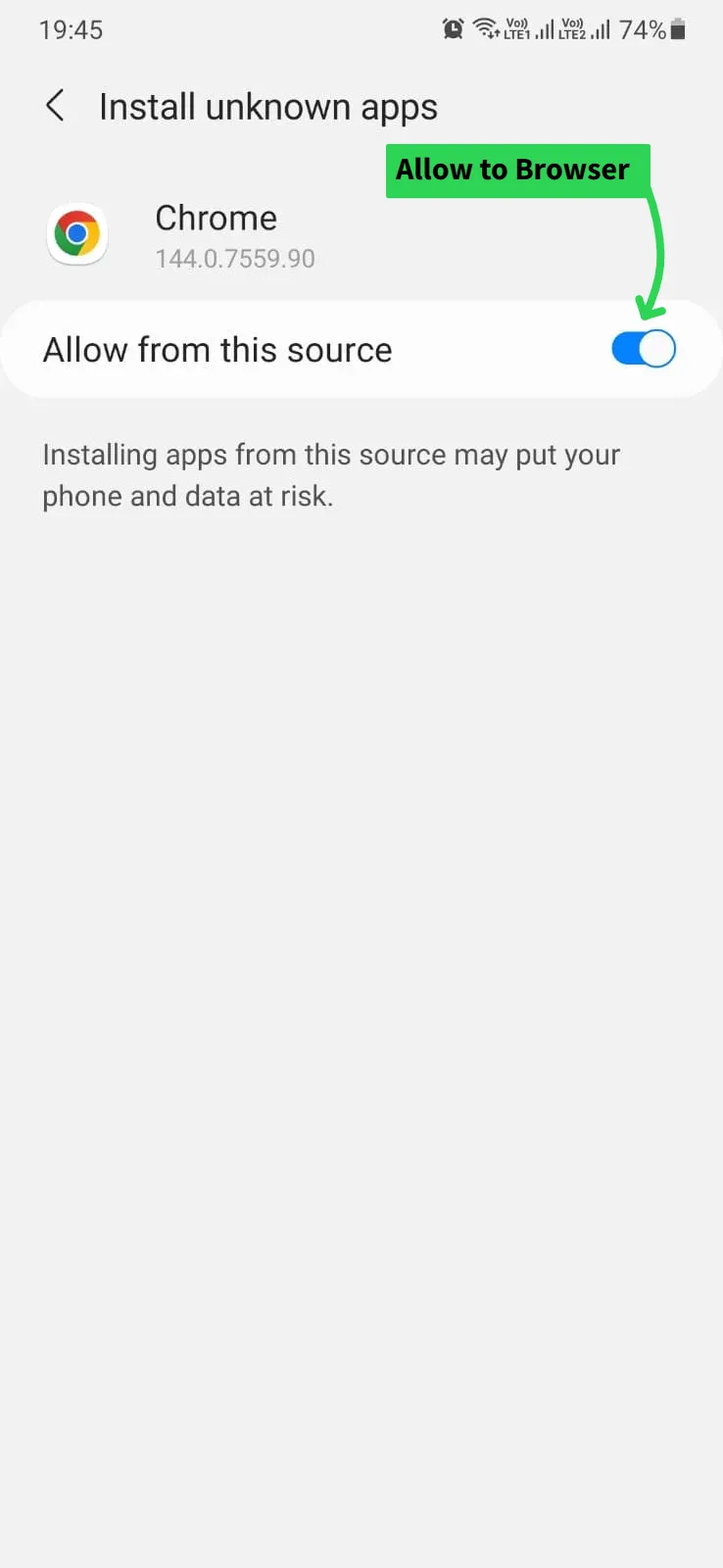
Turn ON the switch to Allow Permission.
ब्राउजर को Allow परमीशन दीजिये (बटन चालू करें)।
બ્રાઉઝરને Allow પરમિશન આપો (બટન ચાલુ કરો).
Step 4
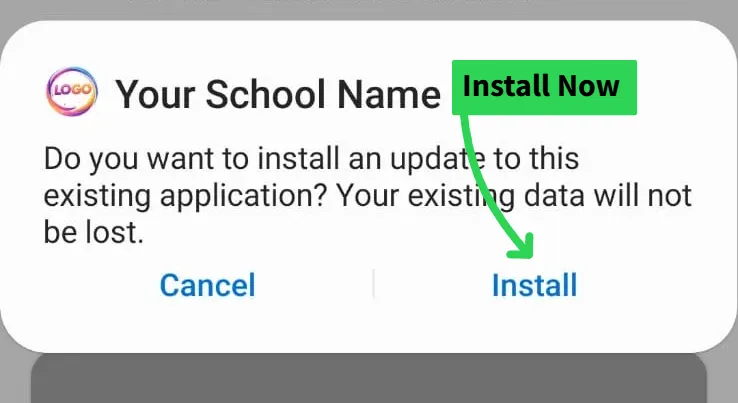
Click on Install button.
अब Install बटन पर क्लिक करें।
હવે Install બટન પર ક્લિક કરો.
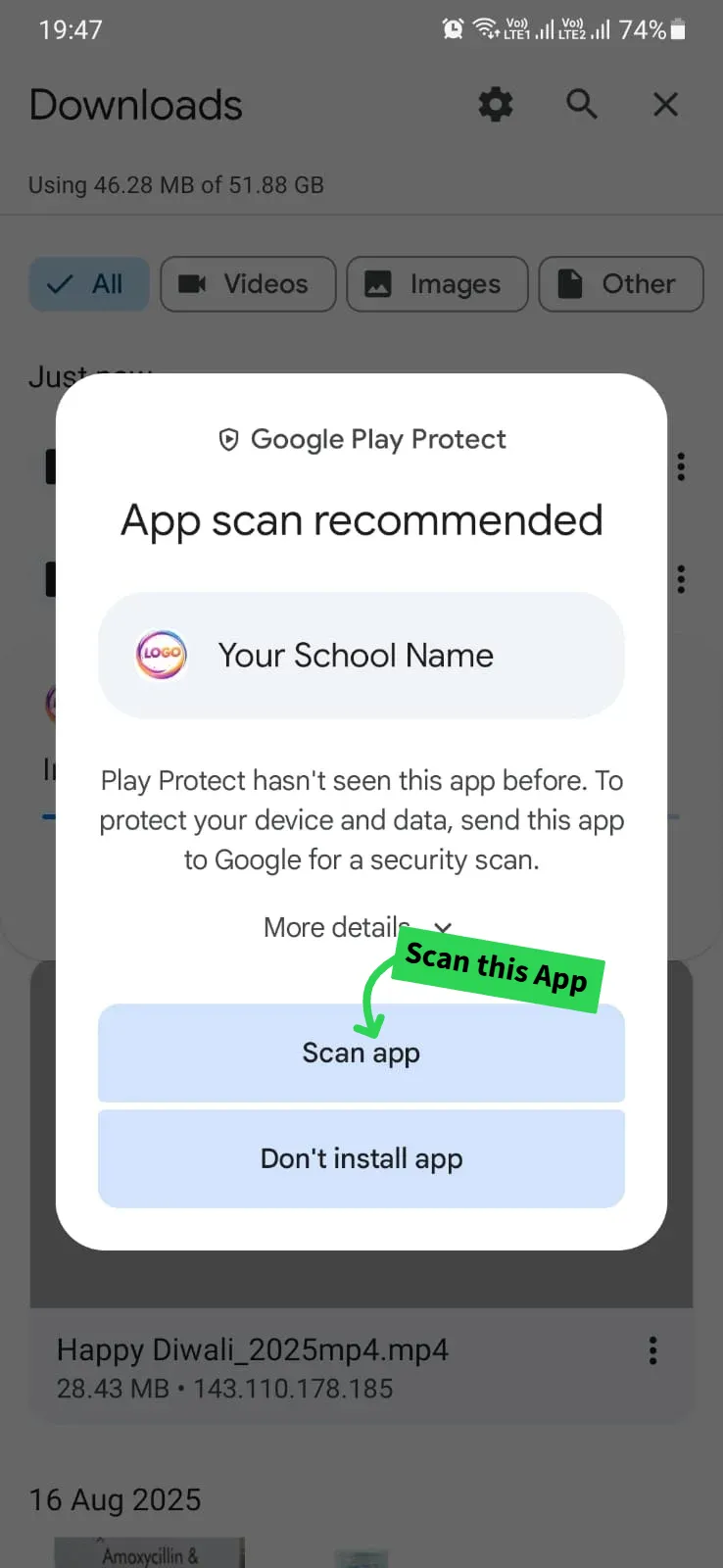
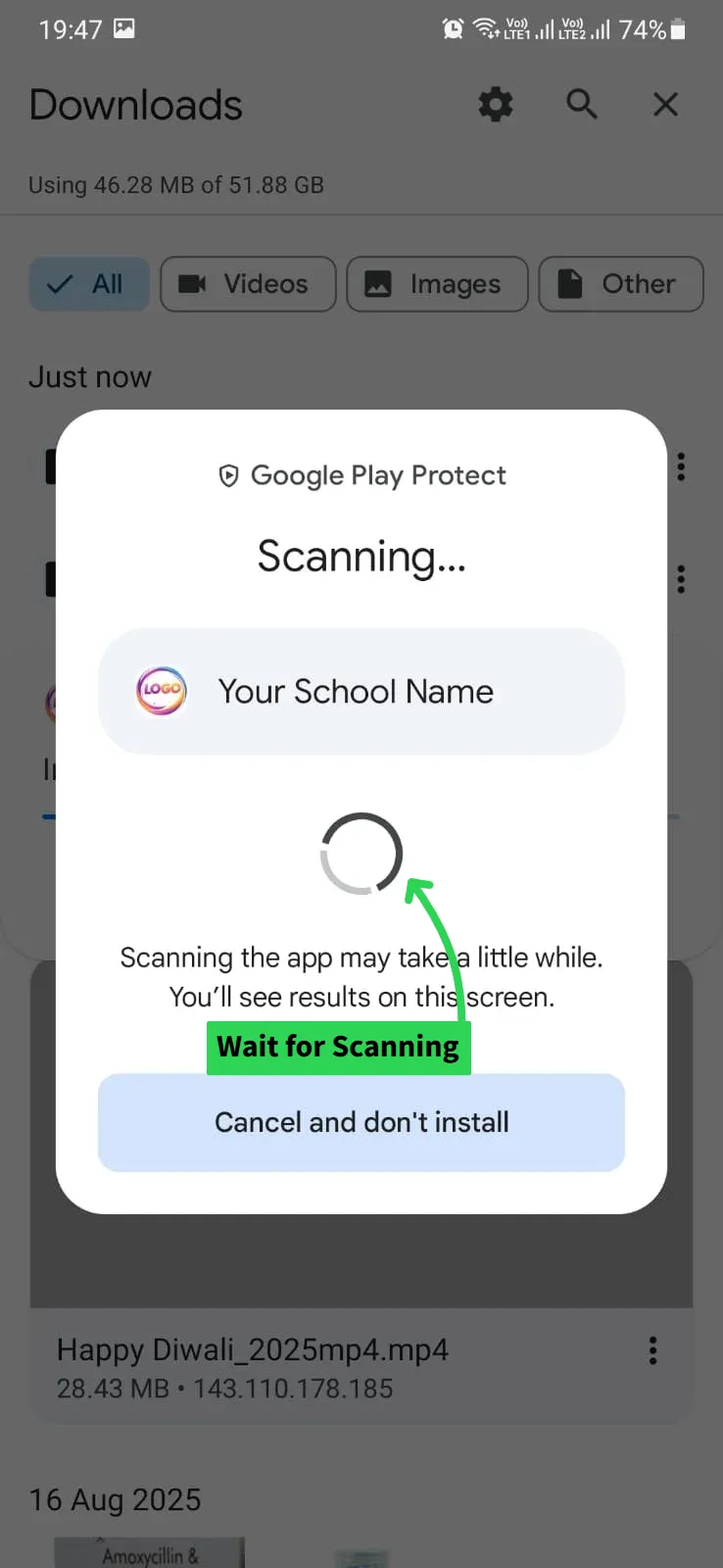
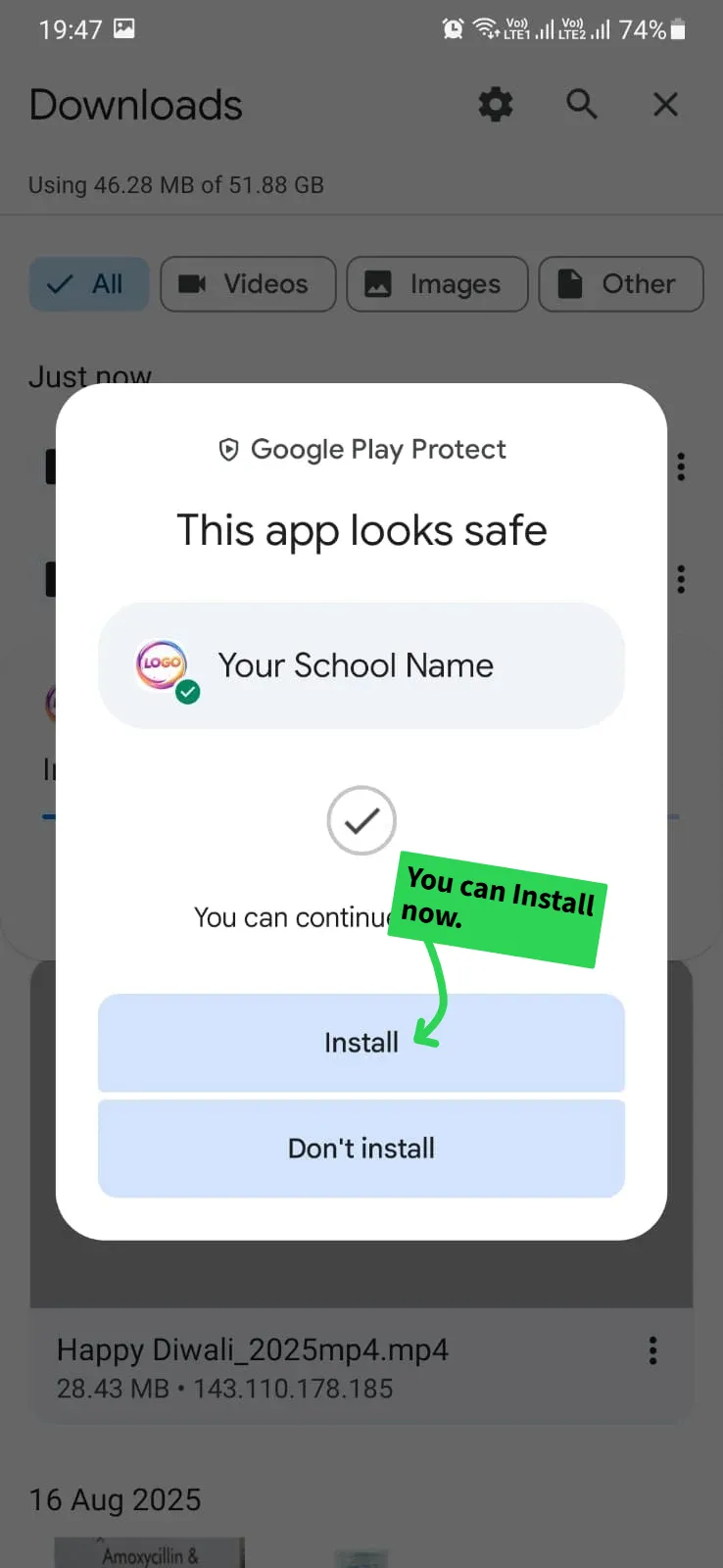
Step 5-7
Wait for Scan. No Virus Found. 👍
वायरस स्कैन का इंतज़ार करें। सुरक्षित है। 👍
વાયરસ સ્કેન થાય ત્યાં સુધી રાહ જુઓ. સુરક્ષિત છે. 👍
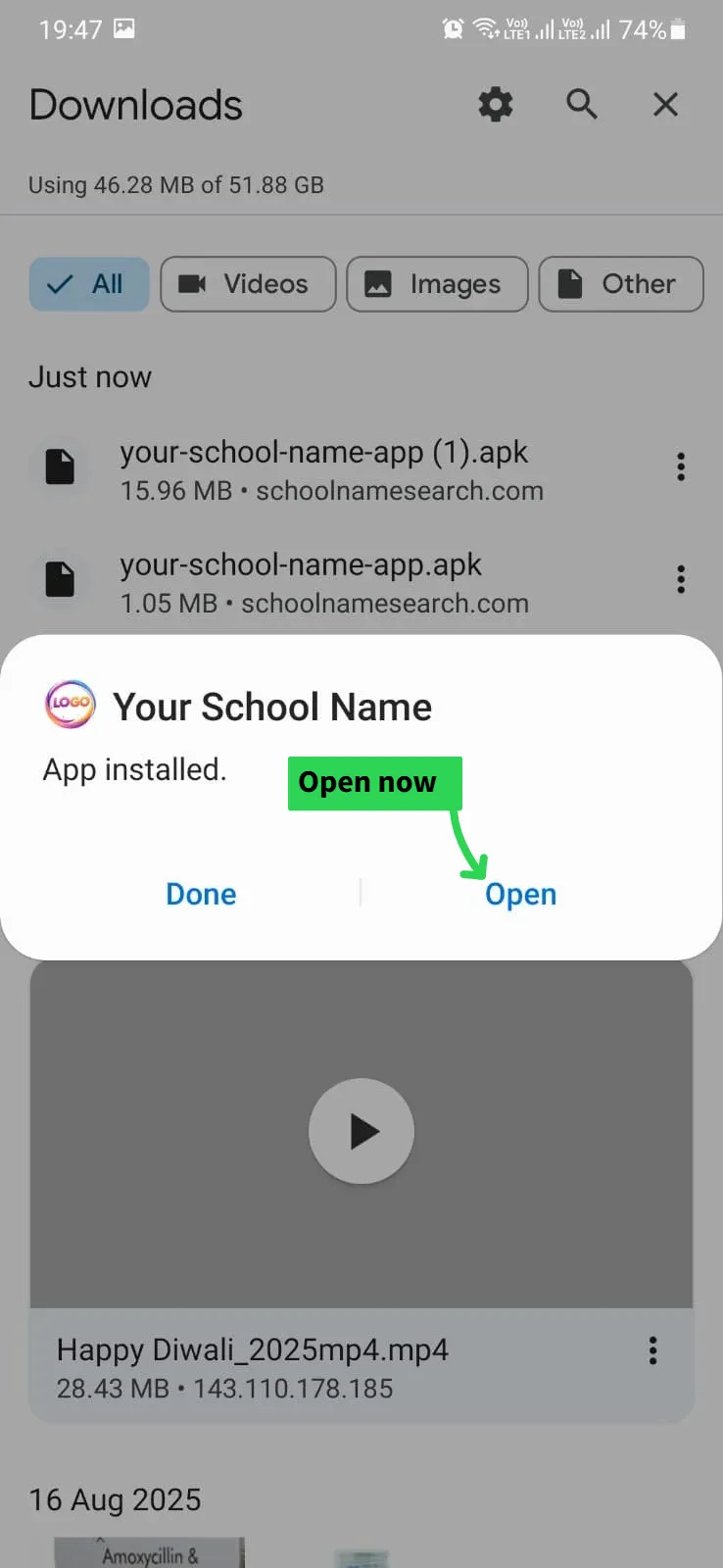
Step 8
App Installed. Click Open.
ऐप इनस्टॉल हो गया है। Open करें।
એપ ઇન્સ્ટોલ થઈ ગયું છે. Open કરો.
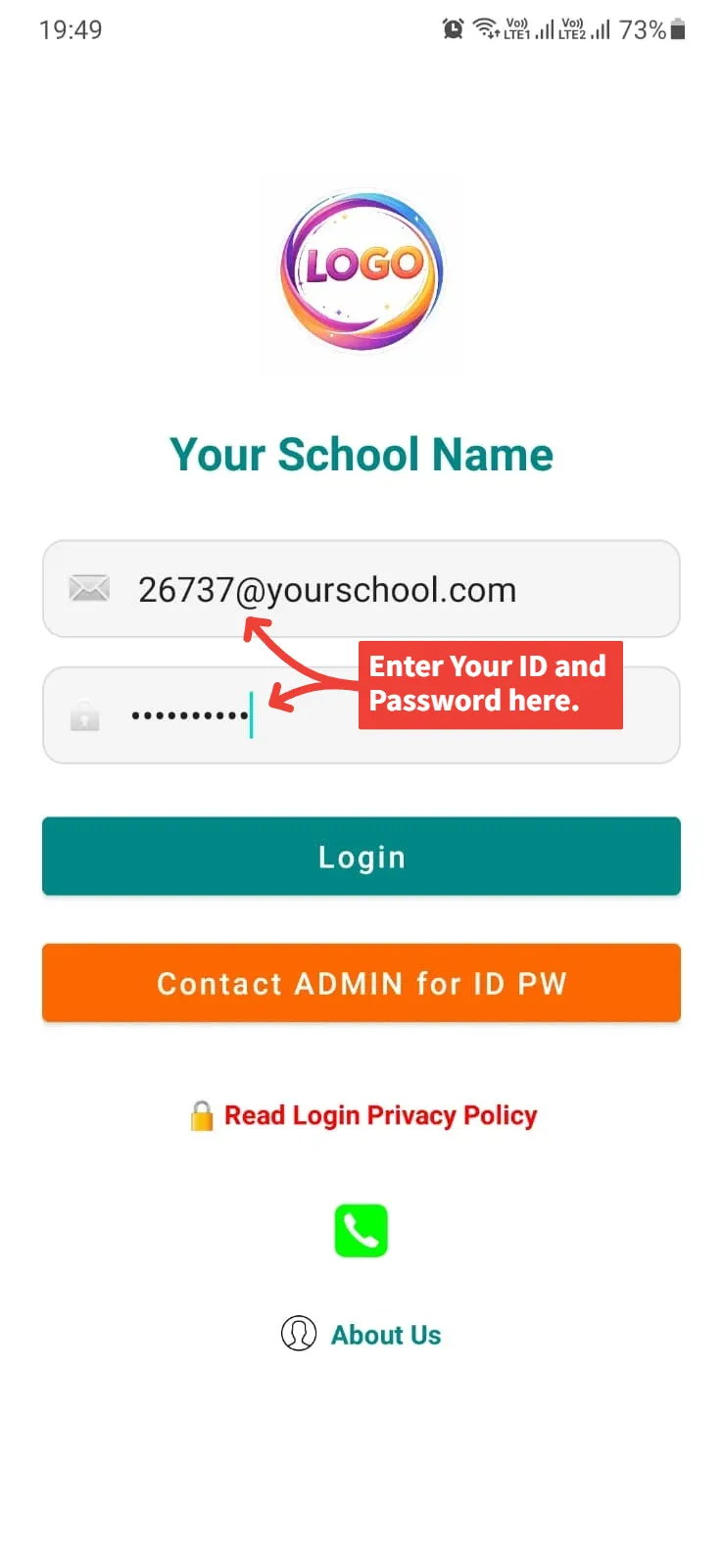
Step 9
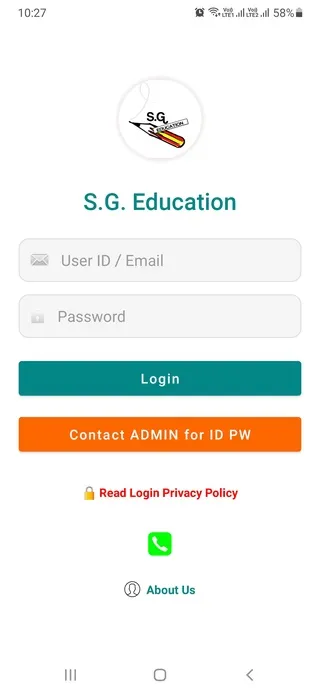
Main Login
Enter ID & Password WITH @ (e.g., abc@123).
अपनी ID और पासवर्ड @ के साथ भरें।
તમારી ID અને પાસવર્ડ @ સાથે નાખો.
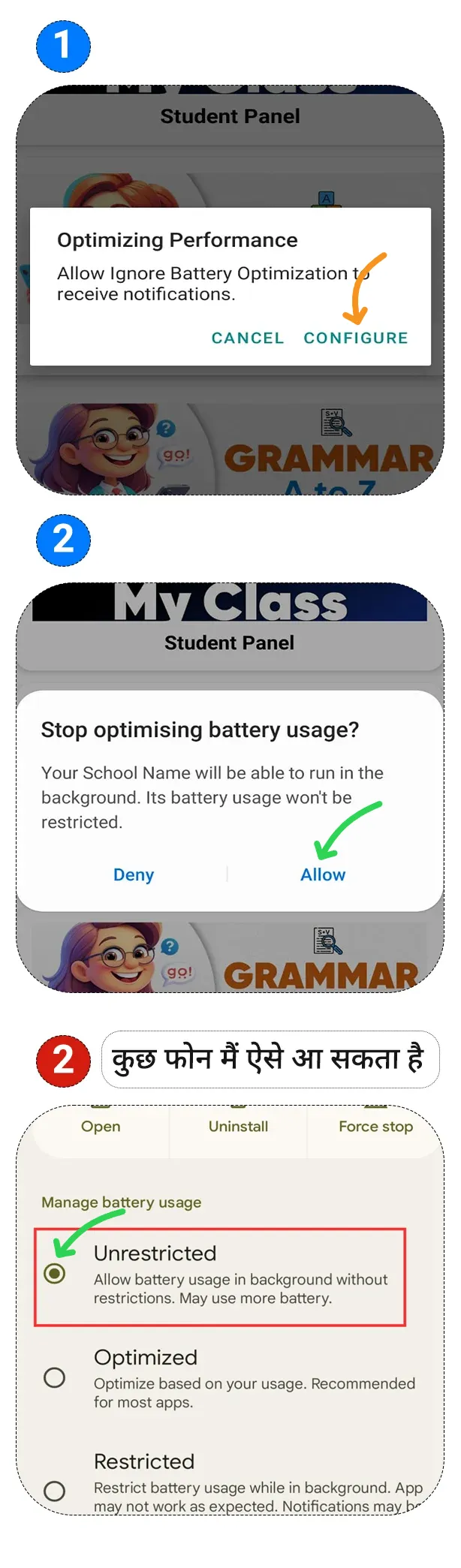
Step 10
Background Settings
To receive all school notifications correctly, you need to set it to Unrestricted or "No restrictions". Allow Unrestricted.
स्कुल के सभी नोटीफिकेशन सही से मिल सके इसके लिये आपको "Unrestricted" या "No restrictions" करना होगा। Unrestricted को Allow दीजिये।
સ્કૂલના તમામ નોટિફિકેશન યોગ્ય રીતે મળે તે માટે "Unrestricted" અથવા "No restrictions" કરવું પડશે. Unrestricted ને Allow કરો.
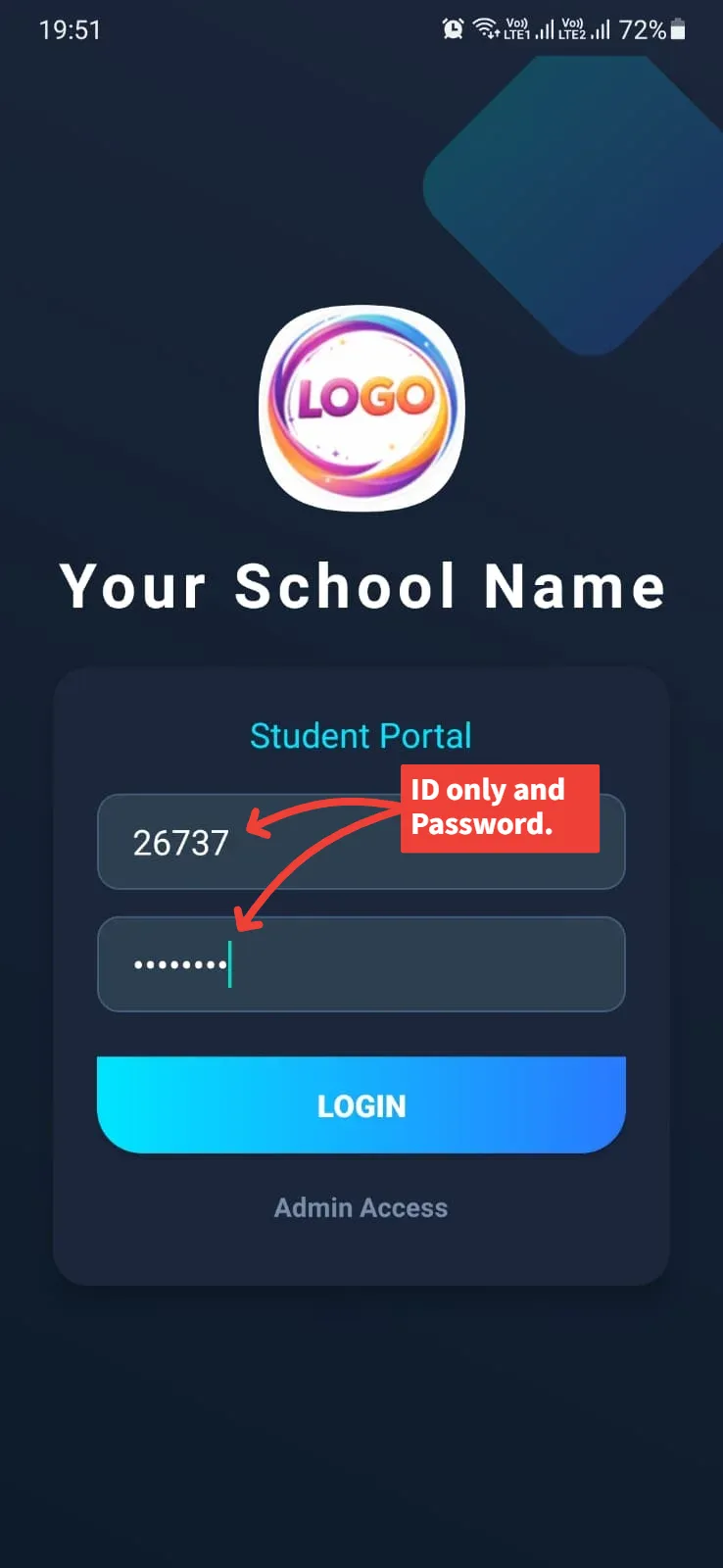
Step 11
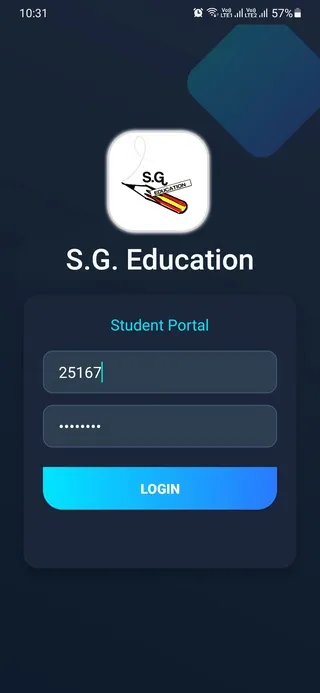
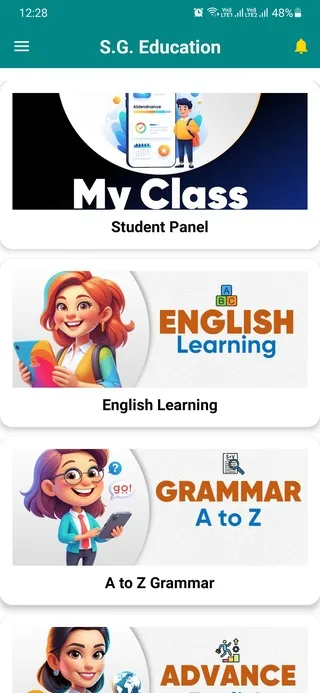
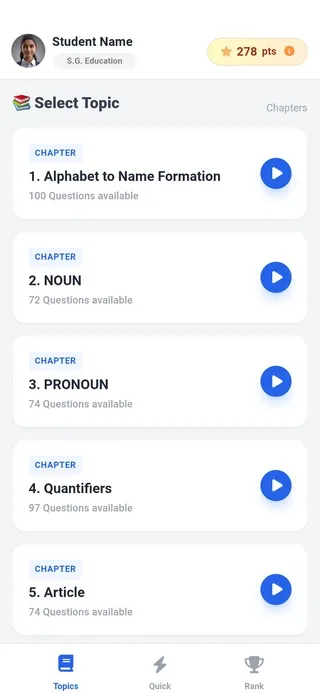
Student Panel
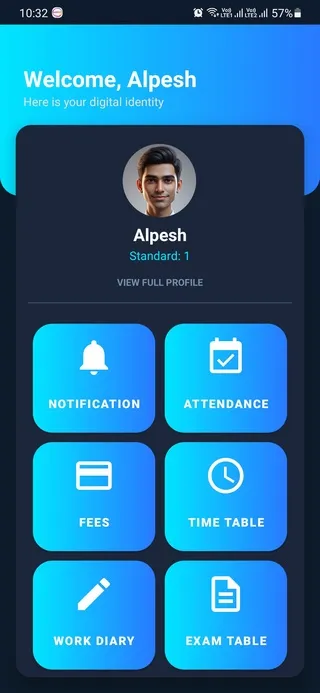
For Student Panel: Enter ID WITHOUT @.
स्टूडेन्ट पेनल के लिये ID बिना @ के भरें।
સ્ટુડન્ટ પેનલ માટે ID @ વગર નાખો.
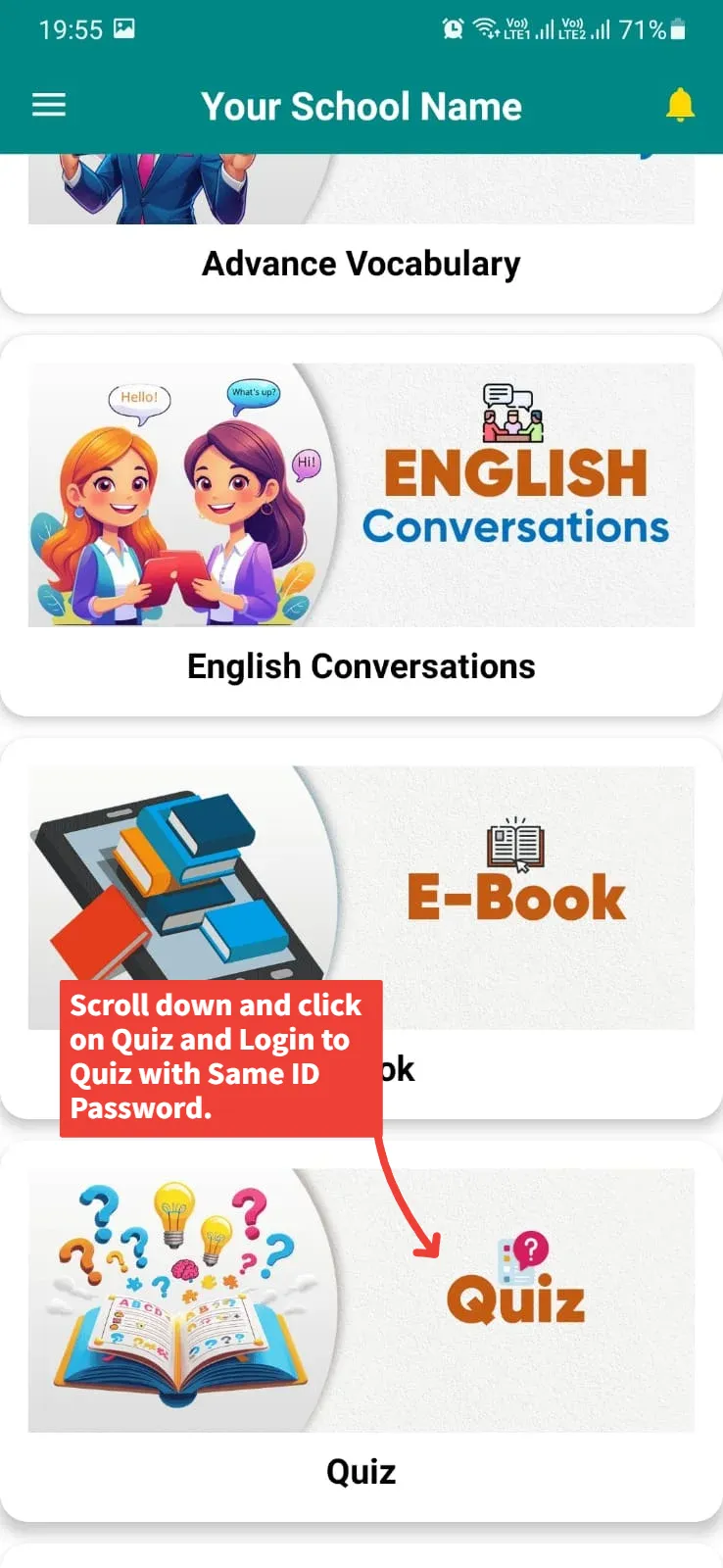
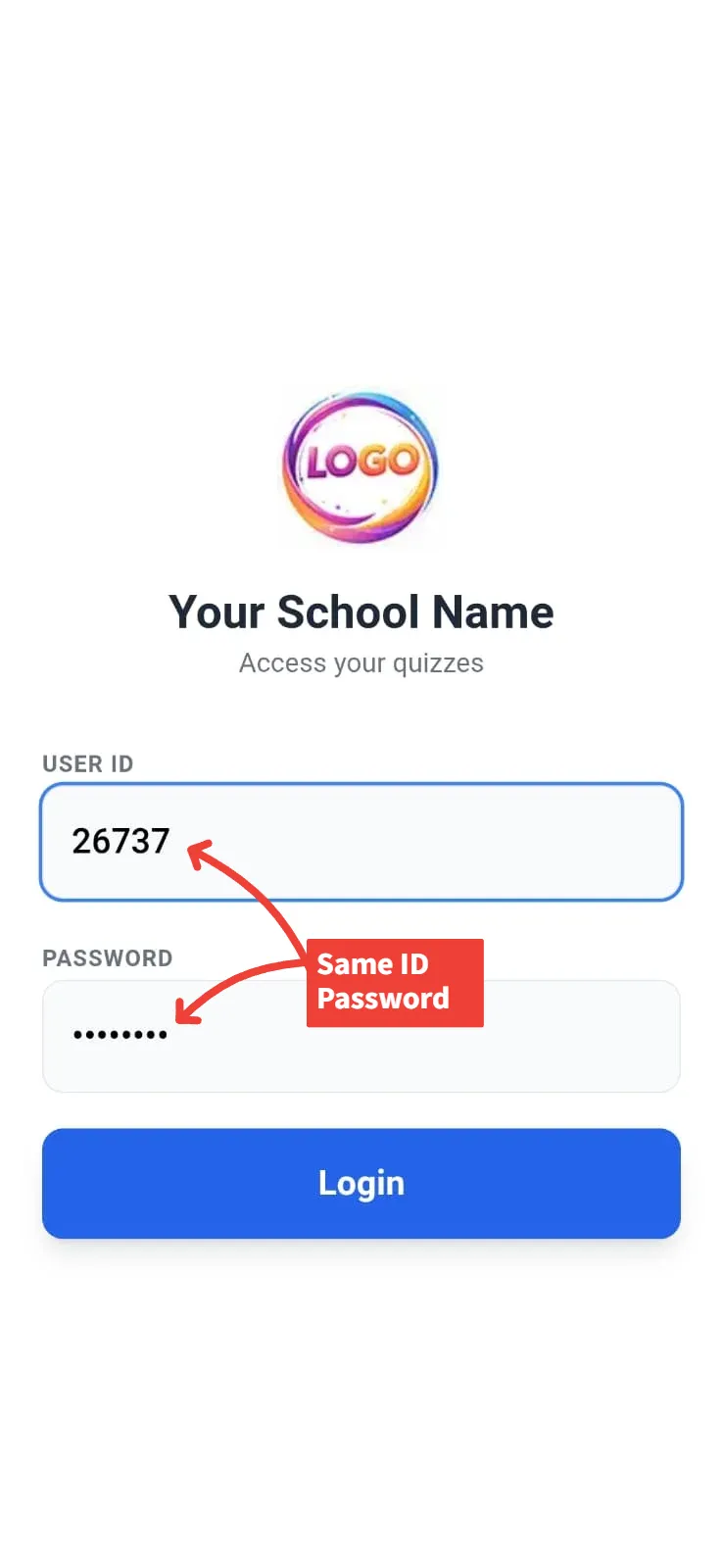
Step 12
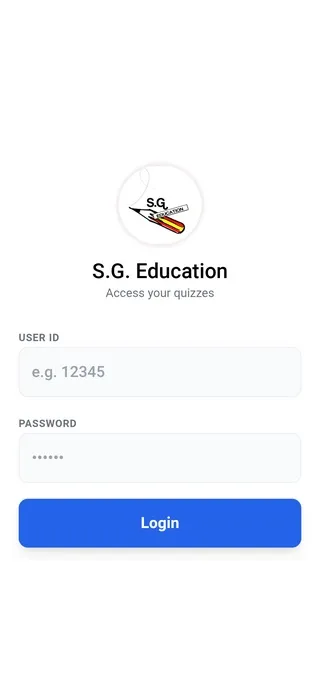
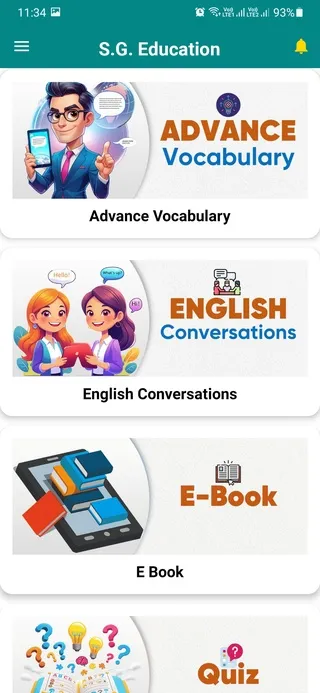
Quiz
For Quiz: Enter ID WITHOUT @.
Quiz के लिये भी ID बिना @ के भरें।
Quiz માટે પણ ID @ વગર નાખો.
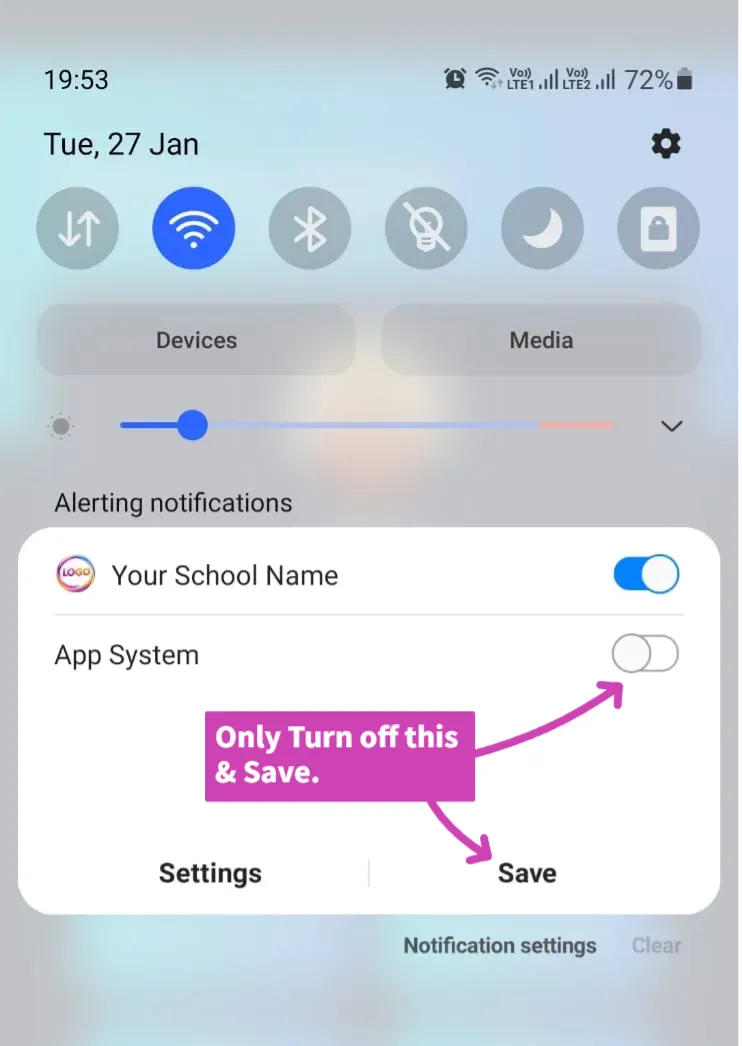
Step 13
Notification Settings
Long press the 'Syncing' notification and turn OFF
App System. (For Android 12+, just swipe away).
⚠️ Warning: Do not turn off the top main toggle, otherwise you won't receive school alerts.
'Syncing' नोटीफीकेशन पर लॉन्ग प्रेस करें और सिर्फ
App System को ऑफ करें। (Android 12+ में केवल स्वाइप करें)।
⚠️ सावधान: App System के ऊपर वाला मुख्य बटन बंद न करें, वरना स्कूल नोटीफीकेशन नहीं मिलेंगे।
'Syncing' નોટિફિકેશન પર લોન્ગ પ્રેસ કરો અને માત્ર
App System બંધ કરો. (Android 12+ માં માત્ર સ્વાઇપ કરો).
⚠️ સાવધાન: App System ની ઉપરનું મેઈન બટન બંધ ન કરતા, નહિતર સ્કૂલના નોટિફિકેશન નહીં મળે.
🎉 All Set!
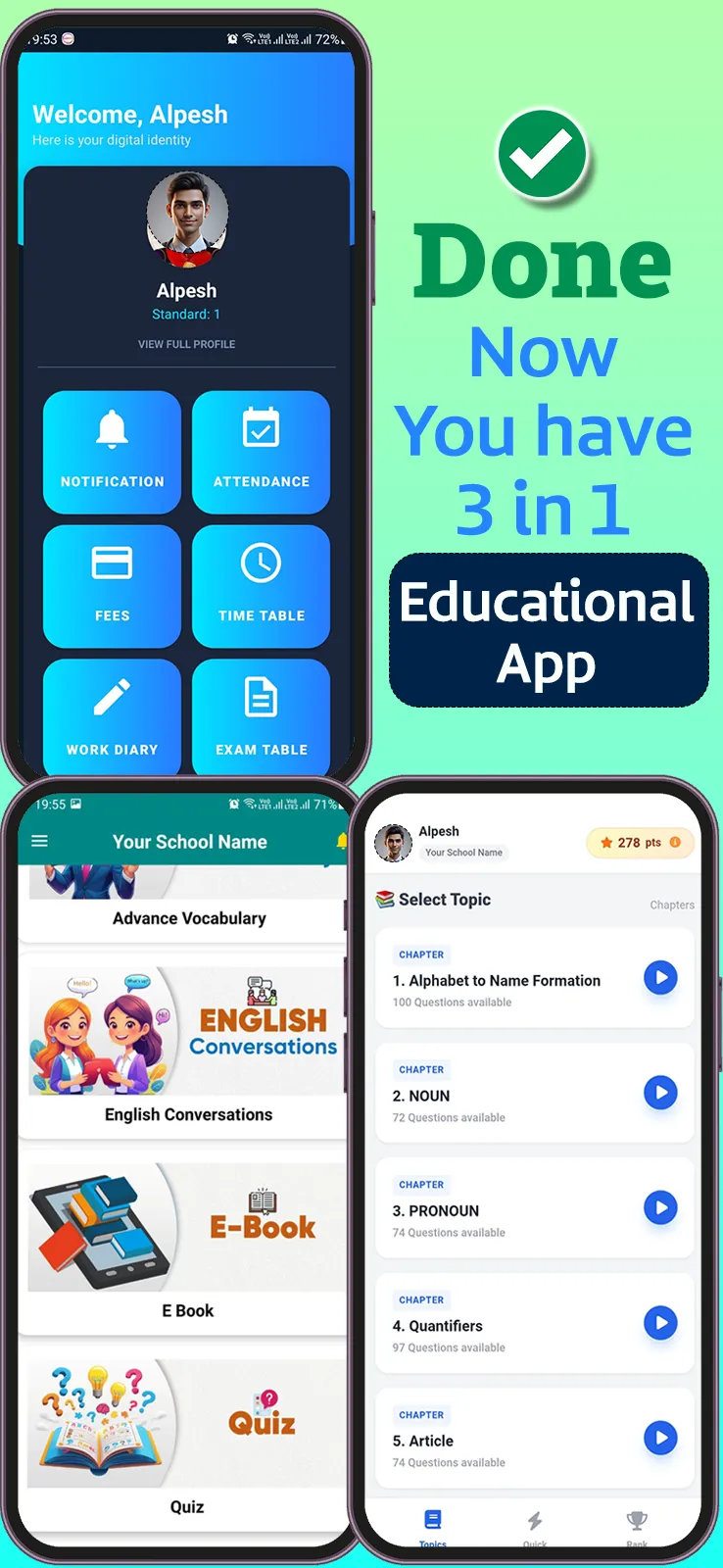
Your 3-in-One Educational App is ready!
आपका 3-in-One Educational App तैयार है!
તમારું 3-in-One Educational App તૈયાર છે!